


All PDF: Reader, Editor
3.521.00 Reviews
App Specs
- Version
- 1.0.3
- Updated On
- License
- Free
- Downloads
- 100,000+
- Developer
- Shkor
- Categories
- Tools
- Platform
- Android
Screenshots
 Analysis by AppCompare
When I need to open a PDF quickly, I usually want two things: a page that renders correctly and a workflow that does not make a simple document feel complicated. All PDF: Reader, Editor is a free tools app from Shkor that aims to cover that basic job while also bringing document conversion into the same place. I found its appeal easy to understand: instead of treating PDFs as files that can only be viewed, it presents them as documents you may also need to work with.
The app is listed for everyone and supports devices running Android 8.0 or later. Its current version is 1.0.3, and its growing audience includes more than one hundred thousand installs. That makes it an interesting option for people who want a straightforward PDF utility rather than a large office suite. My overall impression is positive but measured: it is most convincing when you need a compact reader and conversion tool at no purchase cost, while users expecting a full professional editor should approach it with more modest expectations.
What All PDF: Reader, Editor is trying to solve
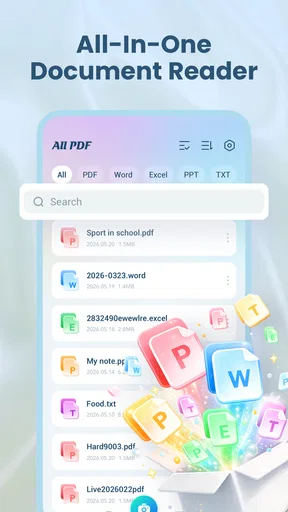
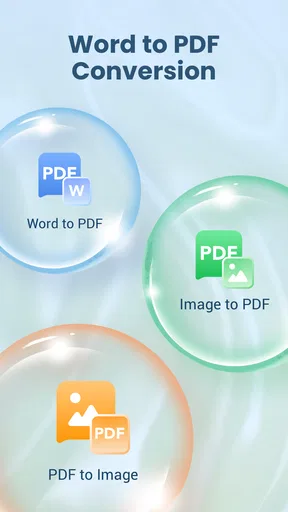
At its core, this is a PDF viewing and document conversion app. That combination matters because reading is often only the first step. A person may receive a PDF in a messaging app, inspect it, and then discover that the document needs to be changed into another format for editing, sharing, or archiving. Having those tasks grouped together can save the awkward routine of opening one app to read, another to convert, and a third to manage the resulting file.
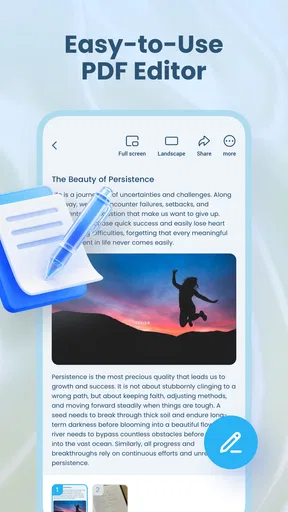
I see the app as a practical tool for everyday document handling rather than a replacement for a complete desktop publishing environment. The name suggests both reading and editing, but the most dependable expectation should remain basic PDF access plus conversion. That distinction is important. If your work depends on advanced layout control, detailed annotations, form construction, signatures, or precise page design, a specialist application may still be the better choice.
Shkor is the developer behind the app. It has an average rating of 3.5 from more than six hundred ratings, with twenty written reviews shown alongside that score. I would read that as a sign of a useful but not universally polished experience. It has enough adoption to be worth considering, yet the rating also encourages a realistic approach: install it for the job you actually need, test the workflow with a non-critical document, and decide whether its handling suits you.
What the free price means in practice
The most important value point is simple: the app is free. That makes the entry decision easy, especially if you only occasionally open PDFs or convert a document. You do not have to commit money before discovering whether its interface feels comfortable on your phone. For students, casual users, and anyone trying to solve a one-off document problem, free access is a meaningful advantage.
Free does not automatically mean complete, though. The price tells me that there is no purchase cost listed for access, but it does not turn the app into a guaranteed substitute for every paid PDF suite. I would judge its value by the task, not by the number of tools implied by the word “editor.” If it opens the files I need and handles the conversion I require, it can be excellent value. If I need a dependable business document workflow every day, I would compare it carefully against established paid alternatives before relying on it.
Worth Reading Before You Choose

EA SPORTS FC Mobile 26 Is a Bigger Football Game, but It Takes Time

Flipboard Shows What News Apps Must Do Beyond the Feed

Switching to Android Auto Means Rethinking Your Driving Routine

Google Calendar Makes a Crowded Week Easier to Manage

Ludo King Makes the Most of the Minutes Between Plans

Baby Panda World Brings Quick Play to Modern Phones, but Its Game Library Feels Busy
That distinction also helps avoid a common mistake. A free app can be ideal for occasional use even when it lacks the depth of a premium product. Someone who edits contracts, prepares forms, or works with sensitive business documents may value consistency, advanced controls, and a mature workflow more than avoiding a purchase. Someone who simply needs to read a handout and convert it once has a very different standard.
Reading PDFs without turning the task into a project
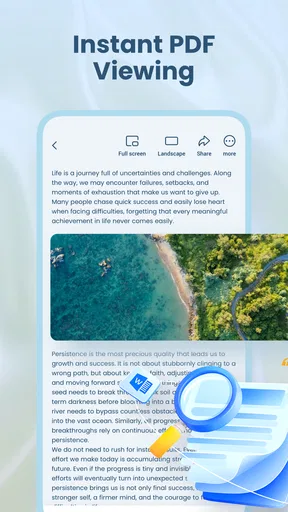
The reader side is where I would begin. A good mobile PDF tool should reduce the distance between receiving a document and seeing its contents. That is especially useful when a file arrives while I am away from a computer: a travel confirmation, school material, instruction sheet, application form, or work attachment can be inspected immediately rather than saved for later.
My practical tip is to use the reader first as a compatibility check. Open an ordinary document before depending on the app for an important deadline. Look at pages with different layouts, such as a text-heavy page followed by one containing tables or images. This quick test tells you more than a feature list because PDF files are not all built the same way. A document that looks simple may contain unusual fonts, scanned pages, or complex positioning.
Another useful habit is to separate “I can view this” from “I can edit this.” Viewing a PDF only requires the pages to display clearly. Editing or converting can involve a different level of document complexity. If the file is a scan rather than selectable text, for example, conversion may not produce the same result as working from a digitally created document. I would therefore inspect the original before assuming that a converted copy will be ready for immediate reuse.
Where conversion can save time
Conversion is potentially the strongest reason to choose this app over a basic reader. Imagine receiving a PDF agenda that you need to reorganize into notes. Instead of sending it to yourself, finding a computer, and opening a desktop program, you can try handling the document on the phone. The same idea applies to a reference sheet that needs to be reused in another application or an attachment that is easier to work with outside PDF format.
The trade-off is that conversion is not merely a file-extension change. PDFs preserve a visual arrangement, while editable document formats usually depend on text flow, spacing, fonts, and object positioning. A successful conversion may still need cleanup. My advice is to treat the converted file as a working draft, especially when the original includes columns, tables, images, or scanned content. Check headings, line breaks, page order, and any sections that must remain exact.
This is one of the app’s less obvious use cases: it can be useful as a bridge between “I only have a PDF” and “I need to continue working.” It is not necessarily the final stage of a document workflow. For quick reuse, that bridge may be enough. For publication-ready material, I would allow time for inspection in the destination editor.
A realistic everyday workflow
Consider a student who receives a reading packet as a PDF shortly before a study session. The student can open it to confirm that the pages are readable, find the relevant section, and attempt a conversion if the content needs to be rearranged into personal notes. The original PDF can remain the reference copy while the converted version becomes a draft. That is a sensible division of labor because it protects the source document from accidental changes and makes mistakes easier to spot.
A similar workflow works for a household task. I might receive a setup guide or a form, read it on the phone, and convert it only if I need to reuse text elsewhere. The benefit is not that every step becomes perfect; it is that I avoid switching between several unrelated utilities for a small job. For occasional document handling, that convenience can matter more than advanced features I would never use.
For work, I would use the same cautious pattern: keep the original, create a converted copy, review the result, and only then share it. This is particularly important when the document contains dates, names, totals, or instructions. A conversion tool can reduce manual retyping, but it should not remove the need for a quick accuracy check.
Where the app may feel limited
The first limitation is scope. A reader and conversion utility is not automatically a complete office suite. If you need deep annotation, sophisticated form creation, document signing, redaction, collaborative review, or exact page composition, you may find yourself returning to another app. I would not choose this tool solely because its name includes “Editor”; I would choose it when its reading and conversion role matches my needs.
The second limitation is the nature of PDFs themselves. A PDF can be text-based, image-based, or built from a mixture of objects. The more unusual the source, the more carefully I would inspect the result after conversion. A clean text document is a more reasonable test case than a scanned booklet with decorative typography and tightly arranged tables.
The third trade-off is trust in an everyday workflow. The rating of 3.5 suggests that the experience may not satisfy everyone equally. That does not make the app unusable, but it does make a trial run worthwhile. I would not wait until minutes before submitting an important file to discover that a particular document does not behave as expected.
There is also a practical difference between occasional convenience and professional reliability. A free app can be the right answer for a personal document, a quick review, or a one-time conversion. A business user with strict formatting requirements may prefer a more established paid tool if the cost is justified by predictable output and a richer editing environment. Since the app itself is free, the real expense for demanding users may be the time spent correcting a conversion that is not ready to use.
Who is likely to get the most value
I would recommend All PDF: Reader, Editor to Android users who regularly receive PDFs but do not need a full desktop-style document suite. It is a sensible candidate for students, casual readers, families handling forms, and people who want a conversion option close at hand. The free price makes it particularly easy to test, and the Everyone rating keeps its intended audience broad.
It also suits people who prefer a single-purpose utility over a large productivity package. If your normal pattern is “open a PDF, check its contents, and occasionally turn it into something easier to reuse,” the app’s focus makes sense. You may not need cloud collaboration, team review, or a complex document dashboard for that kind of work.
I would be more cautious about recommending it as the only tool for legal, financial, publishing, or highly structured office documents. In those situations, the question is not just whether a file opens. You also need confidence in layout preservation, editing precision, and the final output. A specialist alternative may be better when a small formatting change could create a serious problem.
iPhone users should also keep their expectations aligned with the platform requirement shown here: this release is presented for Android devices running version 8.0 or later. That makes it a relevant choice for compatible Android phones and tablets, but not a reason to assume the same app experience is available on every mobile platform.
My verdict on value and whether to skip it
My recommendation is to try it when your priority is free, convenient PDF access with conversion available in the same tool. The app offers a useful middle ground between a bare reader and a more demanding document suite. Its strongest value appears in small, real-life workflows where avoiding extra steps matters: opening an attachment, checking a document, creating a working copy, and moving on.
I would skip it if you are looking for a guaranteed professional editor or if your documents must retain complex formatting without manual review. I would also skip it as a last-minute solution for a critical file unless you have already tested that type of document. The balanced choice is to use it for low-risk or moderate-complexity tasks, keep the original file untouched, and verify every converted result before sharing it.
In the end, the free price gives All PDF: Reader, Editor a fair chance to earn a place on an Android device. Its 3.5 average rating keeps my recommendation practical rather than enthusiastic, but the combination of PDF reading and conversion is relevant to a genuine everyday need. If that need describes you, install it as a trial utility and judge it by one representative document. If your work demands advanced editing discipline, choose a more specialized option instead.
Pros
- Opens PDFs quickly
- even when switching between multiple documents.
- Supports dark mode for more comfortable reading at night.
- Search results make it easy to find specific words or phrases.
- Page thumbnails help users navigate long documents efficiently.
- Useful sharing options make sending files to other apps straightforward.
Cons
- Some advanced editing tools may require a premium upgrade.
- Large PDFs can take longer to load on older devices.
- Text selection may be inaccurate in scanned or complex documents.
- The interface can feel crowded when many tools are displayed.
- Frequent document editing may use considerable battery power.
FAQs for All PDF: Reader, Editor
What is All PDF: Reader, Editor used for?
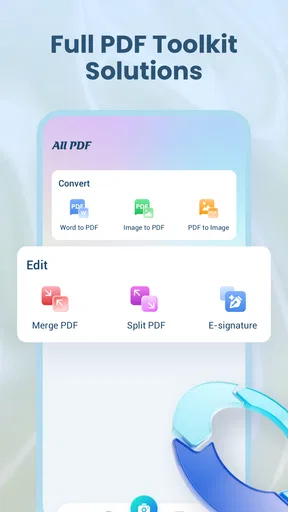
All PDF: Reader, Editor is designed for opening, reading, organizing, and managing PDF documents on a mobile device. During testing, it was useful for viewing files stored locally or shared from other apps, searching within documents, zooming, and navigating pages. Depending on the version and device, it may also include tools for editing, annotating, signing, merging, splitting, or converting PDFs.
Can I edit and annotate PDF files with All PDF: Reader, Editor?
The application may provide several editing and annotation features, such as adding text, highlighting passages, drawing, inserting signatures, or placing comments. However, the exact tools can vary according to the app version, operating system, and whether certain functions require a premium plan. Users who need advanced layout editing should check the available tools before downloading, as basic annotation is usually more reliable than changing existing PDF content.
Does All PDF: Reader, Editor work offline?
Many everyday reading functions can generally be used offline once a PDF has been saved on the device, including opening files, changing the zoom level, scrolling through pages, and searching text in supported documents. Some features may require an internet connection, especially cloud storage, online conversion, sharing services, advertisements, or account-related tools. Offline availability can also depend on the file format and the specific app version.
Is All PDF: Reader, Editor free to download and use?
The app can typically be downloaded without an upfront charge, but users should review its store listing for possible advertising, in-app purchases, subscriptions, or limitations on advanced PDF tools. Free access may cover standard reading and file management, while editing, conversion, document merging, or ad removal could be restricted. Before subscribing, check the trial terms, renewal conditions, and cancellation process shown by the app store.
Is All PDF: Reader, Editor safe for private or confidential documents?
All PDF: Reader, Editor may be suitable for ordinary documents, but caution is recommended when handling passports, contracts, financial records, or other sensitive files. Review the permissions requested, privacy policy, and whether documents are processed locally or uploaded for online features. Avoid sharing confidential files through unfamiliar services, use device security such as a screen lock, and delete temporary copies or exported files when they are no longer needed.


